

Additional Libraries
Vienna Symphonic Library Synchron Duality Strings (Regular Full) for Synchron Player
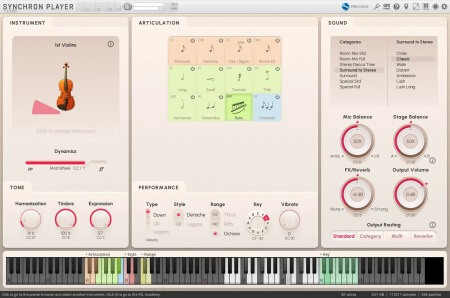
P2P | 02 December 2025 | 111.33 GB
Sometimes you need the full force of a large ensemble, sometimes you need the direct intimacy only a small ensemble can offer. And sometimes you want to add the transparent tonality and immediacy of the closer-mic'd group to the lushness of the large group, at varying levels. This unique collection makes all this and more possible, offering the best of both worlds – a large ambient string ensemble and a dry chamber-sized ensemble with 100% matching performances. Whether you use them together or separately, Synchron Duality Strings delivers a magnificent sound with unprecedented flexibility and countless expressive possibilities, from intimate intensity to passionate power, and everything in between.
Two acoustically isolated string ensembles performing simultaneously at Synchron Stage Vienna
Large ensemble recorded on the iconic Stage A
Smaller ensemble recorded in the smaller, drier Stage B
Use them in combination or separately
Available with combined mic options and mixer presets
Dark and bright Stage B mic setups
Seamlessly blend the ensembles
New Flow View for easy, intuitive and effortless playing
New free articulations: Legato Largo
home page
Two acoustically isolated string ensembles performing simultaneously at Synchron Stage Vienna
Large ensemble recorded on the iconic Stage A
Smaller ensemble recorded in the smaller, drier Stage B
Use them in combination or separately
Available with combined mic options and mixer presets
Dark and bright Stage B mic setups
Seamlessly blend the ensembles
New Flow View for easy, intuitive and effortless playing
New free articulations: Legato Largo
Synchron Player is required for use
1. Copy the .R2RVSLSYN key files to the %ProgramData%\VSL\Vienna Synchron Player\R2R\ directory .
2. Launch VSLEMU CacheBuilder (included with Synchron Player) and click OK in the window that appears .
3. If you use a single directory for soundbanks with subdirectories, the soundbanks will immediately appear in the list of available ones when you launch Synchron Player . If the soundbanks are located in a new directory, click the gear icon at the top of the Synchron Player interface and add this directory by clicking + , then restart the program. The soundbanks will appear in the list of available ones.
- Soundbank files with the .SYVOLUME extension can be located in any directories, but for ease of use it is recommended to place all soundbanks in one directory with division into subdirectories (Synchron Player supports nesting)
- Soundbanks have keys with the .R2RVSLSYN extension
1. Copy the .R2RVSLSYN key files to the %ProgramData%\VSL\Vienna Synchron Player\R2R\ directory .
2. Launch VSLEMU CacheBuilder (included with Synchron Player) and click OK in the window that appears .
3. If you use a single directory for soundbanks with subdirectories, the soundbanks will immediately appear in the list of available ones when you launch Synchron Player . If the soundbanks are located in a new directory, click the gear icon at the top of the Synchron Player interface and add this directory by clicking + , then restart the program. The soundbanks will appear in the list of available ones.
home page
Only registered users can see Download Links. Please or login.
Comments