

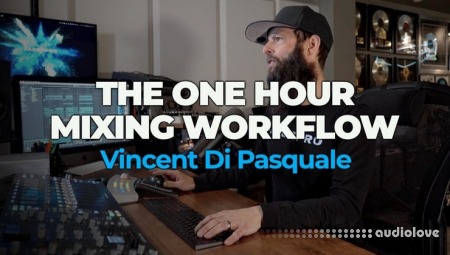
FaderPro The One Hour Mixing Workflow [TUTORiAL]
FANTASTiC | 27 June 2026 | 2.71 GB
Learn how to mix in under an hour with Vincent Di Pasquale, FaderPro co-founder and star-studded music industry veteran.
By the end of this course, you'll be able to take any track to a polished final mix ready to play out or shop to labels.
This mixing and mastering course provides a clear path from scattered songwriting to polished tracks. Vincent prioritizes intuition and efficiency in his track completion methods. Discover his approach and techniques for professional mix and masters, ensuring industry-standard sound with impact and clarity.
Vincent Di Pasquale co-founded FaderPro to share his music production insights after a 20+ year career as a producer, engineer, and remixer. Collaborating with icons like Madonna, Justin Timberlake, and Mariah Carey, he possesses the expertise to ensure your mixes shine on the grandest stages. As Rebirth, he released a remix of Madonna and Justin Timberlake’s 4 Minutes in 2009, reaching the top spot on Billboard’s Hot Dance/Club Play chart.
Throughout the two hours of course content, VDP demonstrates his non-technical, one-hour mixing and mastering approach. You’ll learn to build solid kick and bass foundations, work from the bottom to the top of the project, balance and tonally shape instinctively, and utilize AI assistance to construct a competitive master chain.
Vincent lays out his production process, emphasizing the efficiency of an in-the-box approach. Seamlessly transitioning from an Ableton songwriting session, he adopts a streamlined mixing approach, utilizing stock Ableton and his go-to third party plugins.
Embracing Ozone's Mastering Assistant, he receives recommendations for structuring the track-specific mastering chain, tastefully AB'ing the suggestions before deciding whether to implement them.
In 18 jam-packed chapters, he moves fast through his mixing process, with a keen emphasis on preserving headroom and quickly achieving optimal balance in the mix.
Vincent's strategic approach involves looping the loudest section, ensuring maximum impact at the song's climax. Through automated volume adjustments centered around this pivotal segment, he preserves fader positions, eliminating the need for constant tweaking once the desired balance is achieved.
So, if you want a foolproof workflow to take your tracks to a final polished mix in under an hour, VDP is here to show you the way!
Master Bus Chain Order
In this clip, Vincent shows us his recommended order flow for plugins on his master bus.
Using "The Oven" For Stereo Width
Vincent gives a quick demo of "The Oven," his go-to vst for stereo widening on the master bus.
Monitoring True Peak
In this clip, Vincent explains what "True Peak" is and how to optimize a mix by taking it into consideration.
Chapter 1: Unveiling the one-hour workflow
Vincent presents his one-hour mix workflow course, emphasizing the importance of fast decision making for a pro mix and master.
Chapter 2: Focusing on the drop
Vincent embraces his creative yet chaotic writing process, initiating his mixing by looping solely on the loudest section of the track.
Chapter 3: Creating a Master Chain
Looping the drop, Vincent employs master bus gain staging, utilizing metering to maintain ample headroom in the project’s master channel.
Chapter 4: Sketching a Master Bus Strip
Vincent assembles an initial master bus chain, incorporating analog tape emulation, glue compression, and stereo width enhancement.
Chapter 5: Referencing Tonal Balance
Visually metering the tonal balance, rough levels are compared to a genre-specific preset to ensure the mix sits in the right ballpark.
Chapter 6: Starting from the bottom
Beginning the mixing process, Vincent cleans up masking between the kick and bass, visually metering frequencies and employing sidechaining.
Chapter 7: Processing Main Kick
Vincent refines the kick by cutting knocky frequencies, boosts highs and applies a steep high-pass filter to remove sub-frequency muddiness.
Chapter 8: Mixing the Top Kick
Vincent sculpts the top kick, a high-passed percussive element in the build, for added high-end snap to the main kick in louder sections.
Chapter 9: Balancing the Drums
Gradually unmuting elements, Vincent refines the clap and hi-hat balance and employs EQ to reduce harshness and compression for added punch.
Chapter 10: Maintaining Space in Dense Drums
Unmuting the loop-based percussion, Vincent employs steep high-passing to preserve the kick-bass relationship and create low-end space.
Chapter 11: Continuing the Balance
Vincent continues to unmute elements, methodically rebalances and opts for drum fills to retain their intended loudness in the mix.
Chapter 12: Mixing the Vocals
Vincent reintroduces vocals, addresses levels, applies compression and achieves a pro vocal chain using stock plugins.
Chapter 13: Shaping Harmony and FX
Content with the loudest section's balance, Vincent refines the balance on chordal and FX elements, further sculpting masking frequencies.
Chapter 14: Referencing Progress
Vincent references the rough mix for confirmation of increased clarity and ABs against commercial releases, pinpointing anything missing.
Chapter 15: Adjusting Elements Chronologically
Starting from the beginning, Vincent addresses standout elements, using volume automation to keep the balance in the mix’s loudest section.
Chapter 16: Automating Dynamics
Vincent continues to automate the mix with dynamic volume movement and enhances the drop's impact by high-passing the preceding section.
Chapter 17: Making a Hot Master
Vincent leverages Ozone 11's AI mastering, hand-picks its suggested modules and manually adjusts levels by referencing true peak metering.
Chapter 18: Making A Streaming Master
Vincent shows how to modify Ozone to create a streaming master that will comply with loudness normalization on today's streaming platforms.
home page
By the end of this course, you'll be able to take any track to a polished final mix ready to play out or shop to labels.
This mixing and mastering course provides a clear path from scattered songwriting to polished tracks. Vincent prioritizes intuition and efficiency in his track completion methods. Discover his approach and techniques for professional mix and masters, ensuring industry-standard sound with impact and clarity.
Vincent Di Pasquale co-founded FaderPro to share his music production insights after a 20+ year career as a producer, engineer, and remixer. Collaborating with icons like Madonna, Justin Timberlake, and Mariah Carey, he possesses the expertise to ensure your mixes shine on the grandest stages. As Rebirth, he released a remix of Madonna and Justin Timberlake’s 4 Minutes in 2009, reaching the top spot on Billboard’s Hot Dance/Club Play chart.
Throughout the two hours of course content, VDP demonstrates his non-technical, one-hour mixing and mastering approach. You’ll learn to build solid kick and bass foundations, work from the bottom to the top of the project, balance and tonally shape instinctively, and utilize AI assistance to construct a competitive master chain.
Vincent lays out his production process, emphasizing the efficiency of an in-the-box approach. Seamlessly transitioning from an Ableton songwriting session, he adopts a streamlined mixing approach, utilizing stock Ableton and his go-to third party plugins.
Embracing Ozone's Mastering Assistant, he receives recommendations for structuring the track-specific mastering chain, tastefully AB'ing the suggestions before deciding whether to implement them.
In 18 jam-packed chapters, he moves fast through his mixing process, with a keen emphasis on preserving headroom and quickly achieving optimal balance in the mix.
Vincent's strategic approach involves looping the loudest section, ensuring maximum impact at the song's climax. Through automated volume adjustments centered around this pivotal segment, he preserves fader positions, eliminating the need for constant tweaking once the desired balance is achieved.
So, if you want a foolproof workflow to take your tracks to a final polished mix in under an hour, VDP is here to show you the way!
Master Bus Chain Order
In this clip, Vincent shows us his recommended order flow for plugins on his master bus.
Using "The Oven" For Stereo Width
Vincent gives a quick demo of "The Oven," his go-to vst for stereo widening on the master bus.
Monitoring True Peak
In this clip, Vincent explains what "True Peak" is and how to optimize a mix by taking it into consideration.
Chapter 1: Unveiling the one-hour workflow
Vincent presents his one-hour mix workflow course, emphasizing the importance of fast decision making for a pro mix and master.
Chapter 2: Focusing on the drop
Vincent embraces his creative yet chaotic writing process, initiating his mixing by looping solely on the loudest section of the track.
Chapter 3: Creating a Master Chain
Looping the drop, Vincent employs master bus gain staging, utilizing metering to maintain ample headroom in the project’s master channel.
Chapter 4: Sketching a Master Bus Strip
Vincent assembles an initial master bus chain, incorporating analog tape emulation, glue compression, and stereo width enhancement.
Chapter 5: Referencing Tonal Balance
Visually metering the tonal balance, rough levels are compared to a genre-specific preset to ensure the mix sits in the right ballpark.
Chapter 6: Starting from the bottom
Beginning the mixing process, Vincent cleans up masking between the kick and bass, visually metering frequencies and employing sidechaining.
Chapter 7: Processing Main Kick
Vincent refines the kick by cutting knocky frequencies, boosts highs and applies a steep high-pass filter to remove sub-frequency muddiness.
Chapter 8: Mixing the Top Kick
Vincent sculpts the top kick, a high-passed percussive element in the build, for added high-end snap to the main kick in louder sections.
Chapter 9: Balancing the Drums
Gradually unmuting elements, Vincent refines the clap and hi-hat balance and employs EQ to reduce harshness and compression for added punch.
Chapter 10: Maintaining Space in Dense Drums
Unmuting the loop-based percussion, Vincent employs steep high-passing to preserve the kick-bass relationship and create low-end space.
Chapter 11: Continuing the Balance
Vincent continues to unmute elements, methodically rebalances and opts for drum fills to retain their intended loudness in the mix.
Chapter 12: Mixing the Vocals
Vincent reintroduces vocals, addresses levels, applies compression and achieves a pro vocal chain using stock plugins.
Chapter 13: Shaping Harmony and FX
Content with the loudest section's balance, Vincent refines the balance on chordal and FX elements, further sculpting masking frequencies.
Chapter 14: Referencing Progress
Vincent references the rough mix for confirmation of increased clarity and ABs against commercial releases, pinpointing anything missing.
Chapter 15: Adjusting Elements Chronologically
Starting from the beginning, Vincent addresses standout elements, using volume automation to keep the balance in the mix’s loudest section.
Chapter 16: Automating Dynamics
Vincent continues to automate the mix with dynamic volume movement and enhances the drop's impact by high-passing the preceding section.
Chapter 17: Making a Hot Master
Vincent leverages Ozone 11's AI mastering, hand-picks its suggested modules and manually adjusts levels by referencing true peak metering.
Chapter 18: Making A Streaming Master
Vincent shows how to modify Ozone to create a streaming master that will comply with loudness normalization on today's streaming platforms.
home page
Only registered users can see Download Links. Please or login.
No comments yet